| |
|
|
| |
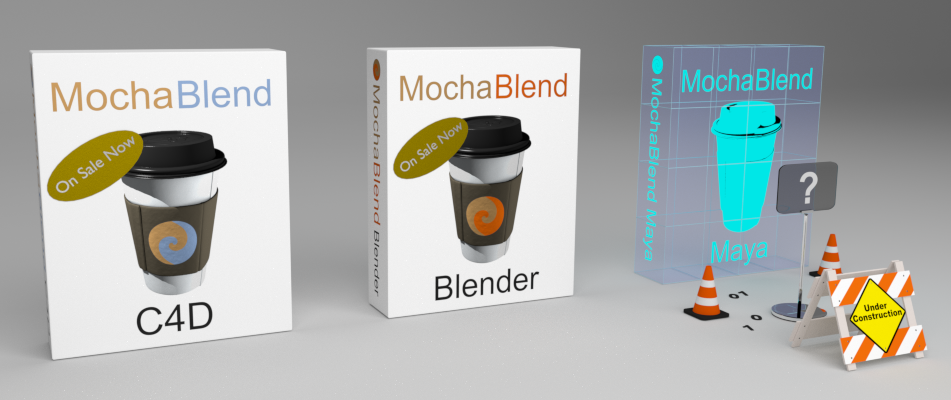
MochaBlend is a suite of plugins that allows you to import mocha’s 2D tracking-data into 3D animation programs. MochaBlend converts 2D data into 3D data, giving you exciting new ways to work with both tracking-data and roto-shapes. Expand your creativity, and enter a new dimension with MochaBlend.
|
|
| |
|
|
| |
For more information about each MochaBlend ‘flavor’, click on the links above.
|
|
| |
|
|
| |
Not all 3D animation programs have the same capabilities. Check the table below to see if the MochaBlend features you want are available with the program you use.
|
|
| |
|
|
Feature
|
C4D
|
Blender
|
Maya
|
Currently Supported Host Versions
|
R16-R22
|
2.78
|
TBD
|
Current MochaBlend version
|
1.0.9
|
1.0.9
|
TBD
|
Imported mocha data types: Tracking data, Corner-Pin data, Roto-Shape data*, mocha Camera-Solve data*
|
Yes
|
Yes
|
Yes
|
Integrated Camera Rig
|
Yes
|
No
|
Yes
|
MochaBlend Solver
|
Yes
|
No
|
Yes
|
Roto to Camera-Mapped 3D Geometry
|
Yes
|
No
|
TBD
|
Compositor Stabilization
|
N/A
|
Yes
|
N/A
|
Compositor Rotoscoping
|
N/A
|
Yes
|
N/A
|
Convert tracking data to native point-trackers
|
No
|
Yes
|
TBD
|
| |
|
|
| |
Table legend:
|
‘Planned’ = Feature planned for that plugins next version;
‘TBD’ = To be determined, tool-set is still in development for that plugin.
‘N/A’ = Not applicable, the host application, for the plugin, doesn’t have that feature.
* = Roto-Shape data, and mocha Camera-Solve data both require mocha Pro to export directly to MochaBlend
|
|
| |
|
|
|